AI Platform
Rippling AI
Rippling runs HR, IT, and Finance on one platform, so its AI can reach straight into pay, access, and benefits. As Principal Designer I worked on how that AI earns the right to act: what a person sees before anything changes, and how the same rules hold when it reaches other tools through plugins, skills, automations, and MCP.

It proposes. A person decides.
Rippling runs HR, IT, and Finance on one platform. That is why its AI can do more than answer. It can put a bonus through payroll, change a job title, or reopen a benefits enrollment. It is also why a mistake lands in someone’s bank account.
So the product runs on one rule, and the recording above is that rule applied to payroll. Rippling AI does not make a change on its own say. It writes the change down as the table payroll will receive, with the current amount beside the new one. Then it stops and waits.
- 1A personAsksin a sentence
- 2Rippling AIReads it backcurrent beside new
- 3A personSays yes
- 4Rippling AIWrites a draft
- 5A personReviews and finalizes
- 6The company’s approvalsApprovesas for any change
- 7The company’s approvalsThe change is made
I was the lead designer on Rippling AI, and I led most of the design that reached customers. The question I kept coming back to was what a person has to see before they let software touch a paycheck.
One shape for every kind of change
A rule like that only earns trust if it holds everywhere. Rippling AI works across payroll, benefits, recruiting, and IT, and a different confirmation in each would teach people nothing.
So every read-back has one shape, whatever the noun: the facts that are about to change, then one question. I designed it as a pattern each product fills with its own nouns. You learn it once.
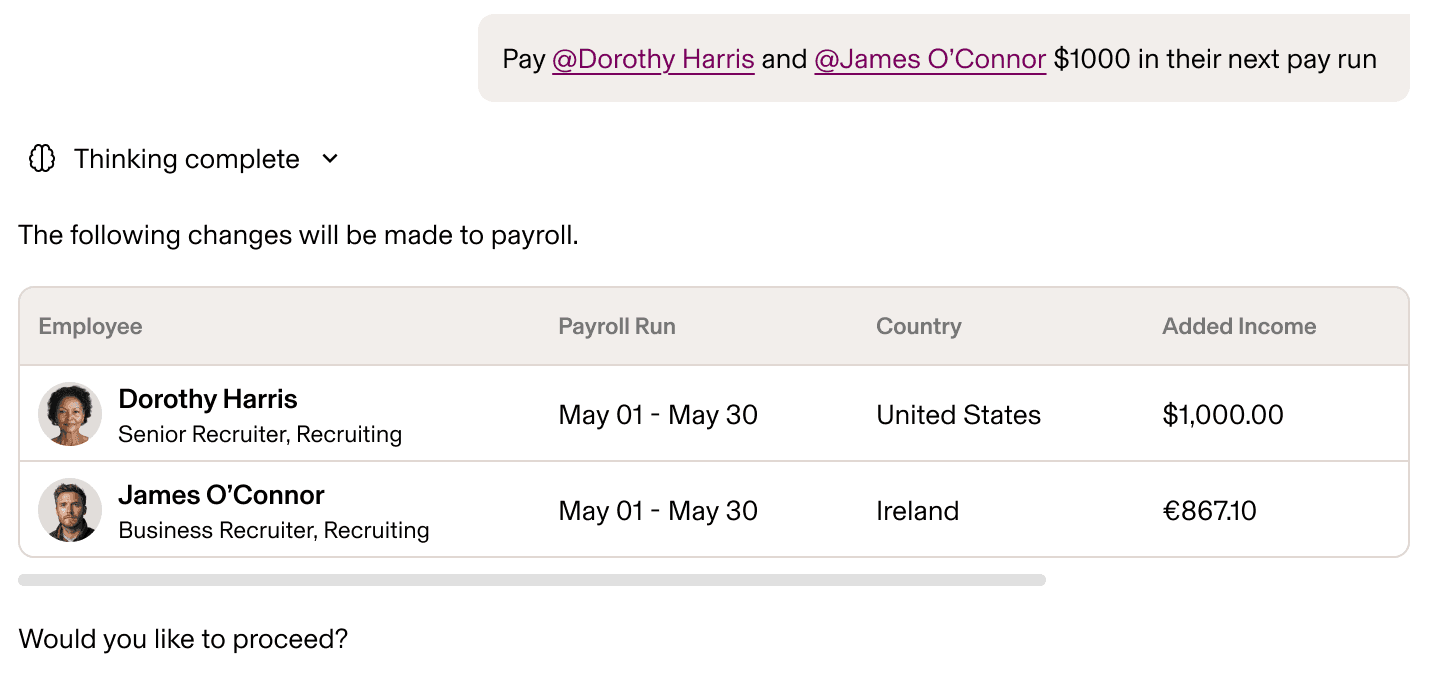
- The one in Ireland comes back in euros.
- The one in Ireland comes back in euros.
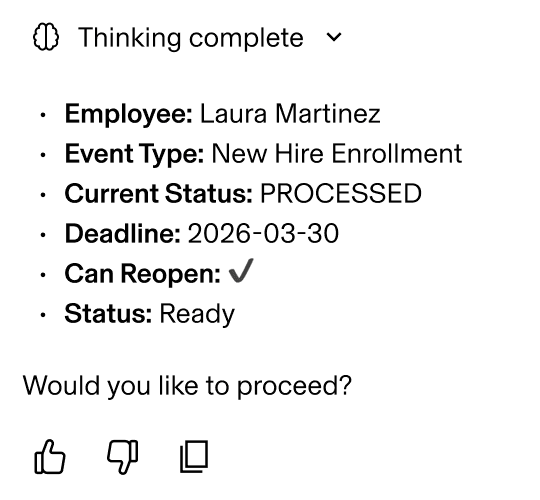
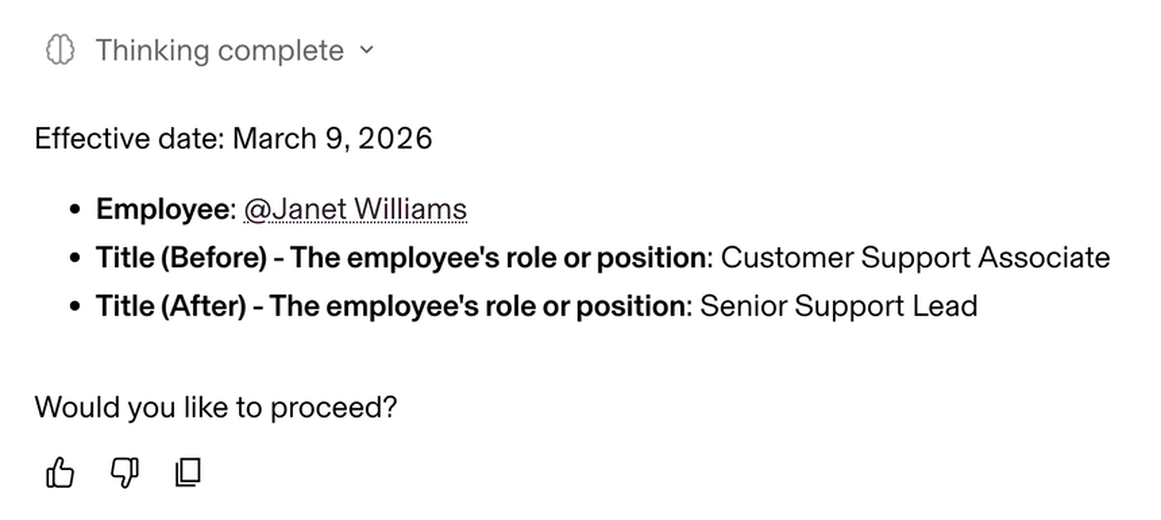
- “Next Monday” comes back as a date.
- The title before, beside the title after.
- “Next Monday” comes back as a date.
The facts about to changeOne question, then it waits
A yes makes a draft
A yes still does not write the change. Say yes to a promotion and what comes back is a draft with one button: review and finalize. From there it goes through whatever approvals the company already requires, the same as if a person had made it.
Yes
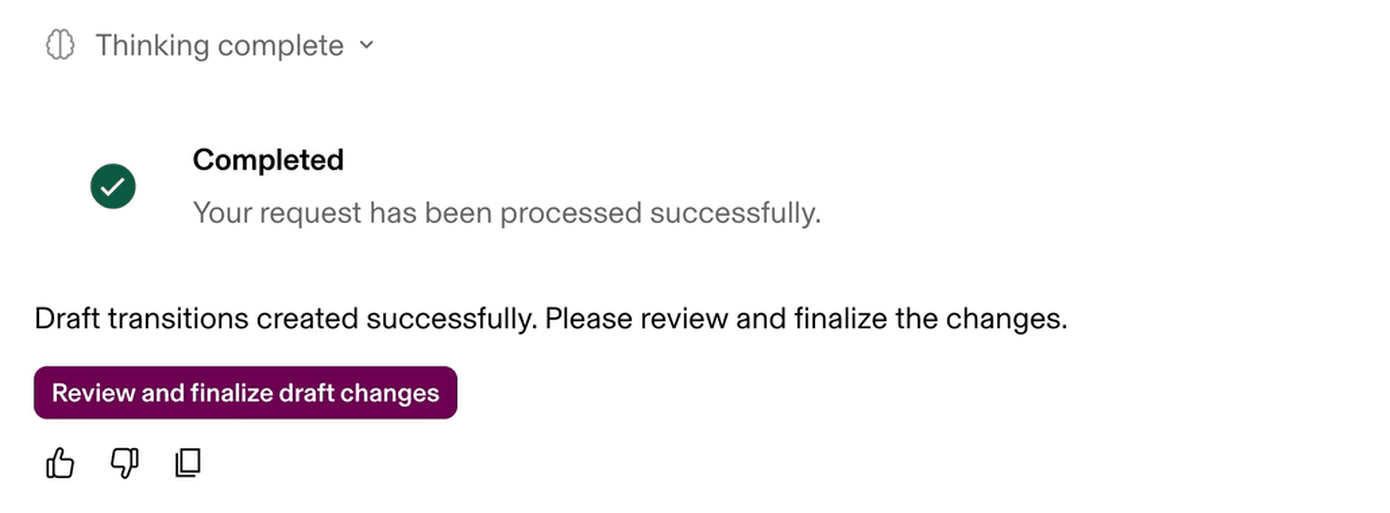
- A draft, not the change.
- One button: review and finalize.
- One button: review and finalize.
This is the part I care about most. Checking the AI’s work is not a new job on a new screen. It is the review an operator already does, with the draft already filled in.
Answers you can check
Before anyone approves a change, they usually ask a question. The answer has to be something they can check, or the approval that follows means nothing. I wrote about this in AI needs receipts.
Rippling AI answers from live company data. I designed each answer as a claim with its evidence attached: one sentence a manager would say out loud, then the table or the reports behind it. Departments link to their records, and the table exports.
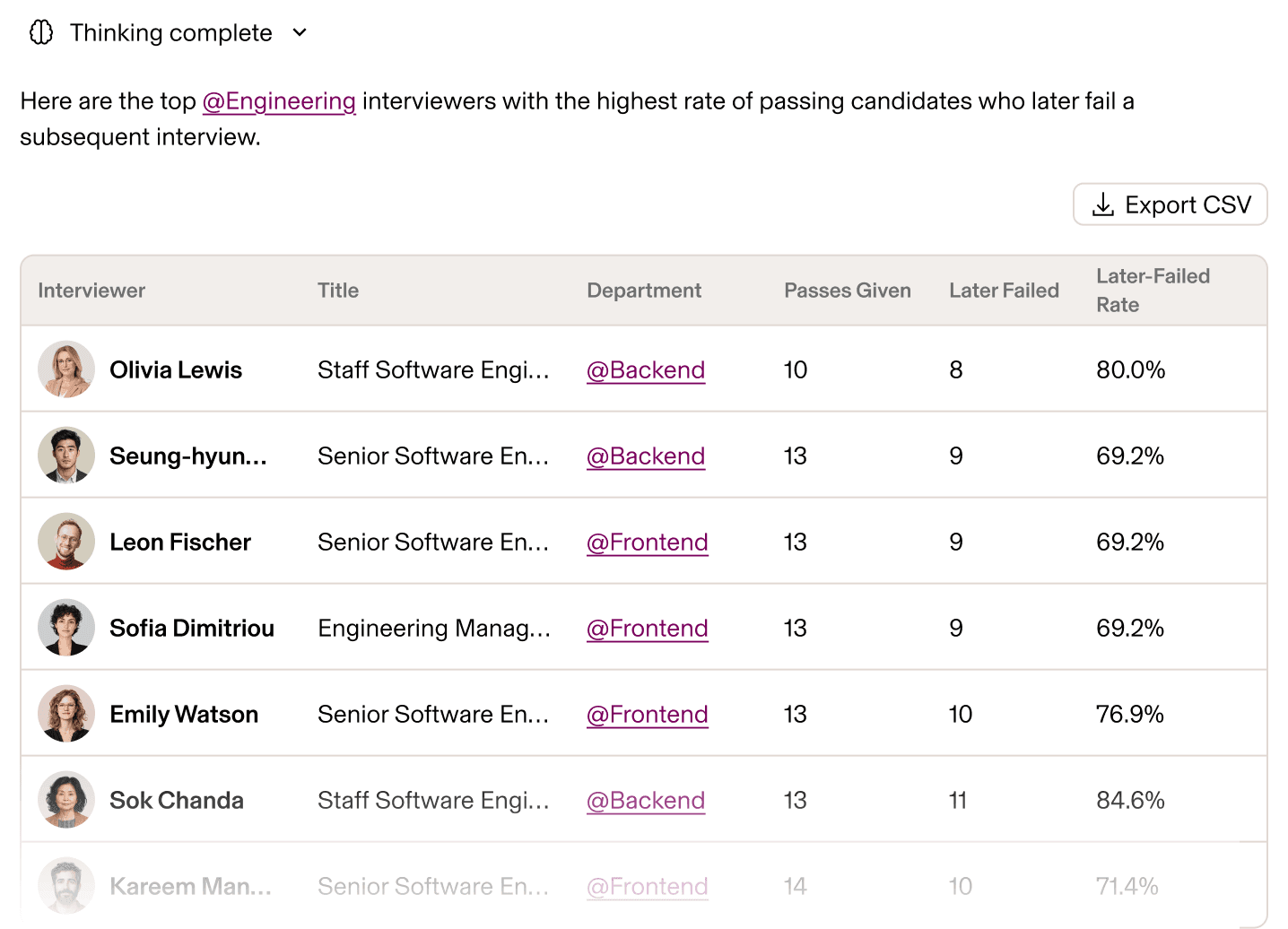
- The claim, in one line.
- It exports.
- Departments link to their records.
- Departments link to their records.
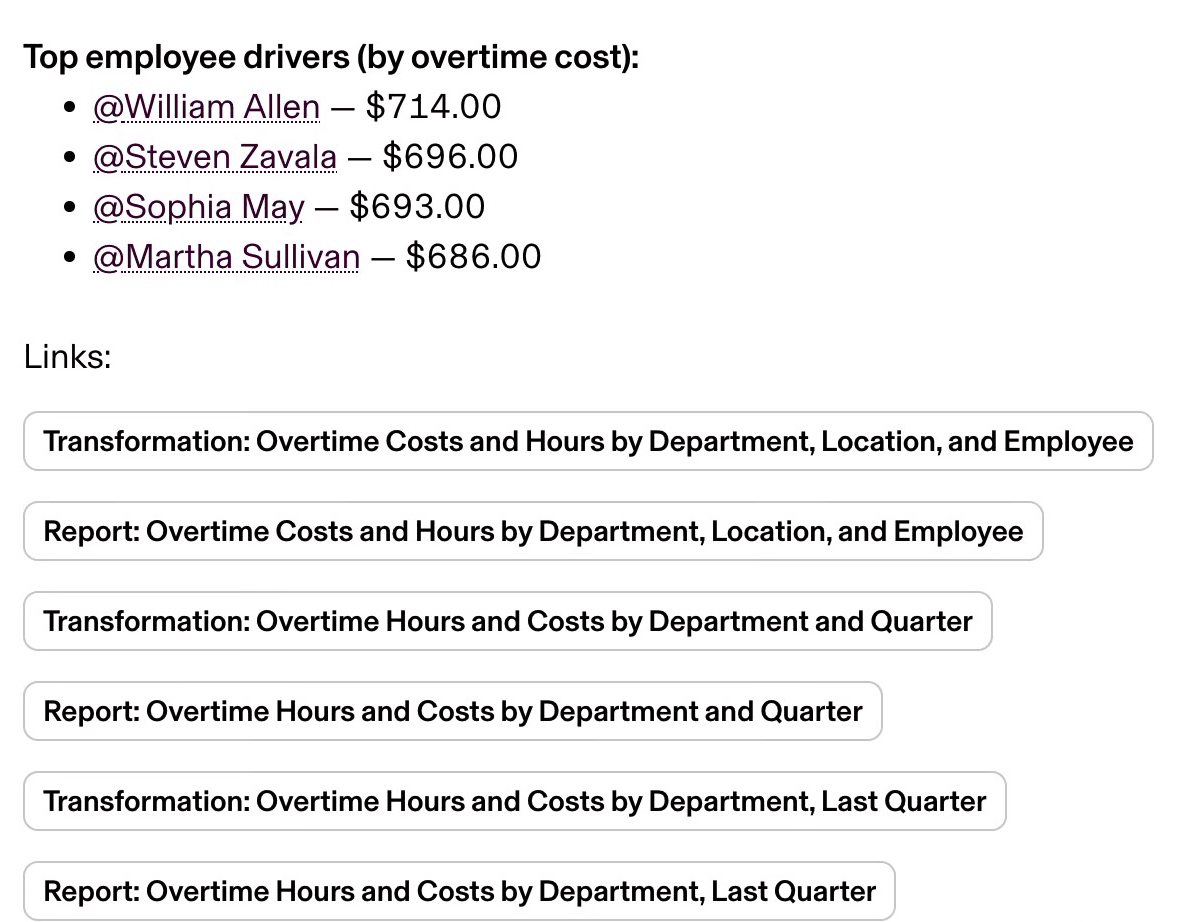
- Who drove the cost, each linked.
- The reports behind it.
- Who drove the cost, each linked.
The answer is also scoped before it is written. It can see only what the person asking can see, so a manager gets their team and an HR admin gets more.
Past the chat window, on the same rules
Trust that lives in a chat window does not travel. My work also covered the ways Rippling AI reaches past it: plugins, skills, automations, and MCP. Each one moves the AI a step further from a person watching it work, so each one runs on the permissions and policies a company already has in Rippling.
MCP goes furthest. Claude, ChatGPT, and other AI tools can connect to Rippling, ask it questions, and take action in it. Every request runs as the person who made it, under the same permissions they have everywhere else in Rippling. In Rippling’s words, “the model proposes the work, and Rippling decides what is allowed.” That is why the permission scope had to be a rule of the platform and not a feature of a chat window: a new surface inherits it on its first day.
- Chat
- Plugins
- Skills
- Automationsno prompt
- MCPother AI tools
- A new surfaceinherits the rule
- Chat
- Plugins
- Skills
- Automationsno prompt
- MCPother AI tools
- A new surfaceinherits the rule
Most people who run payroll have never heard of an MCP server, and they should not need to. None of this asks them for a new tool or a new vocabulary.
Plugins and skills go in the sentence
Plugins connect Rippling AI to the other tools a company runs. Skills are reusable instructions: a team’s way of doing something, written down once and shared by role, team, or reporting line. Both sit in a request as chips, in the same sentence as Rippling’s own people data. The company decides which systems each employee can connect and what they may do there.
The answers keep the habits of the rest of the product. The calibration answer says what it checked and names the one person it could not check, and why. The offer deck comes back built and checked, with buttons to open the deck, the candidate, or the job post, and the offer itself still a draft, pending approval.
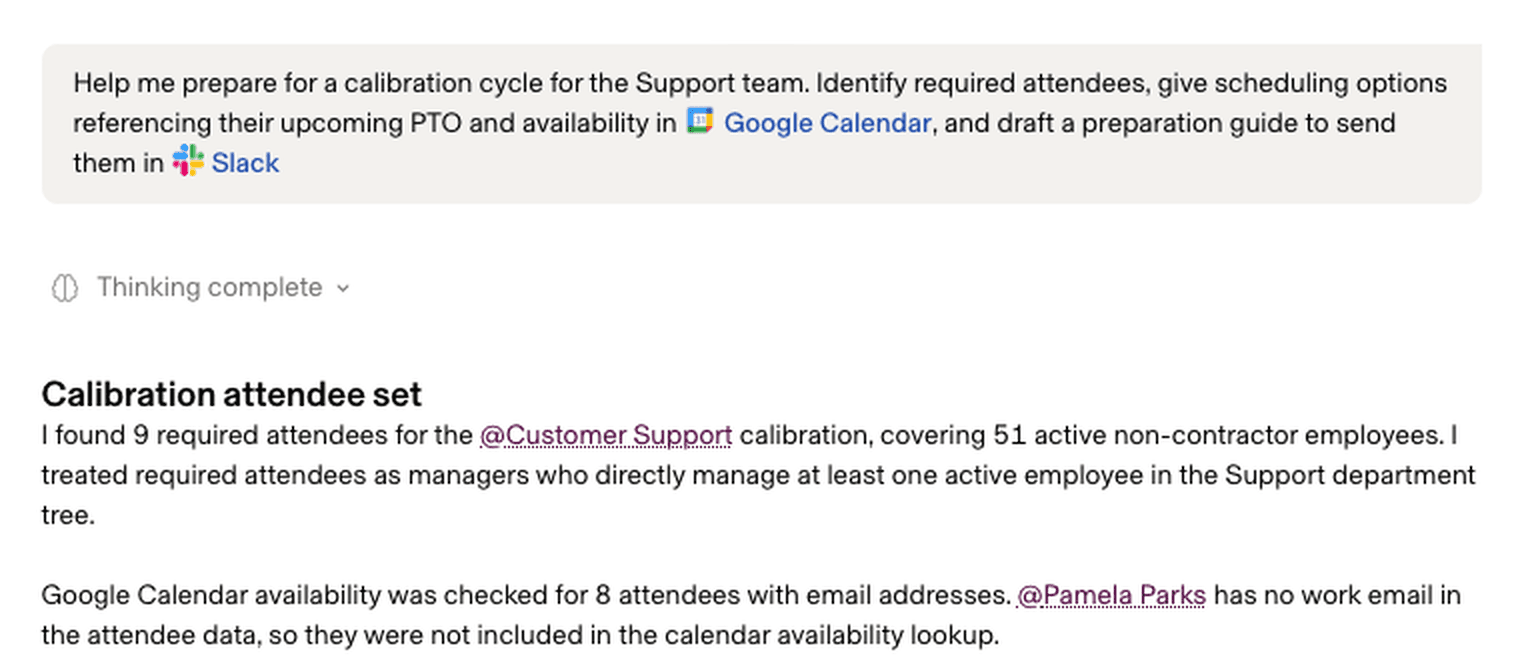
- Google Calendar and Slack sit in the sentence.
- It names the one person it could not check, and why.
- Google Calendar and Slack sit in the sentence.
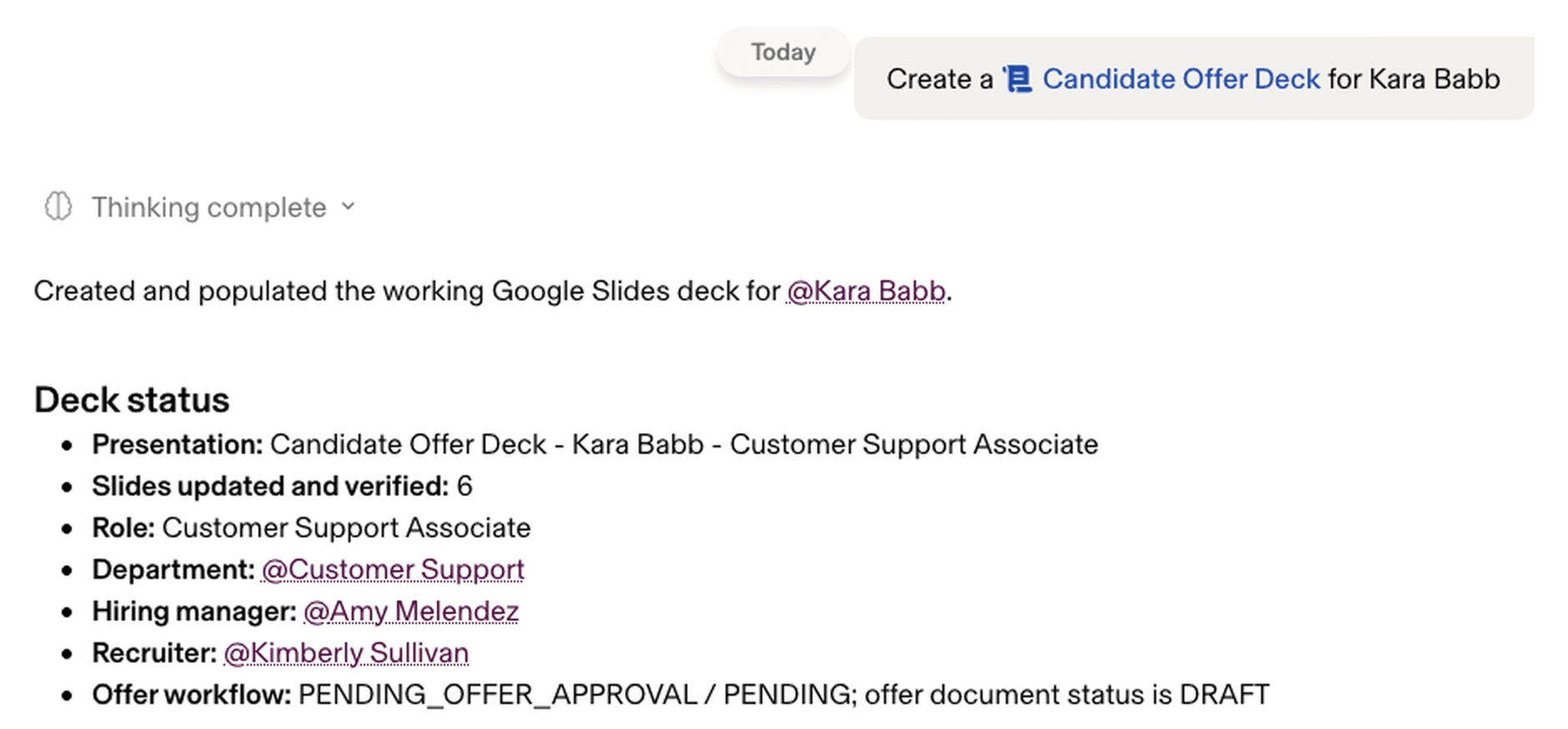
- Built and checked.
- The offer itself is still a draft.
- Built and checked.
Automations start as a draft
Automations run without a prompt: on a schedule, when Rippling data changes, or when something happens, such as an email or a Slack message.
You make one by describing it. Asked to watch two channels for trouble an executive should hear about, Rippling AI writes the workflow: what triggers it, how it sorts a message, when it alerts. Then the first rule applies again. The workflow arrives as a draft with a test run, before it listens to anything.
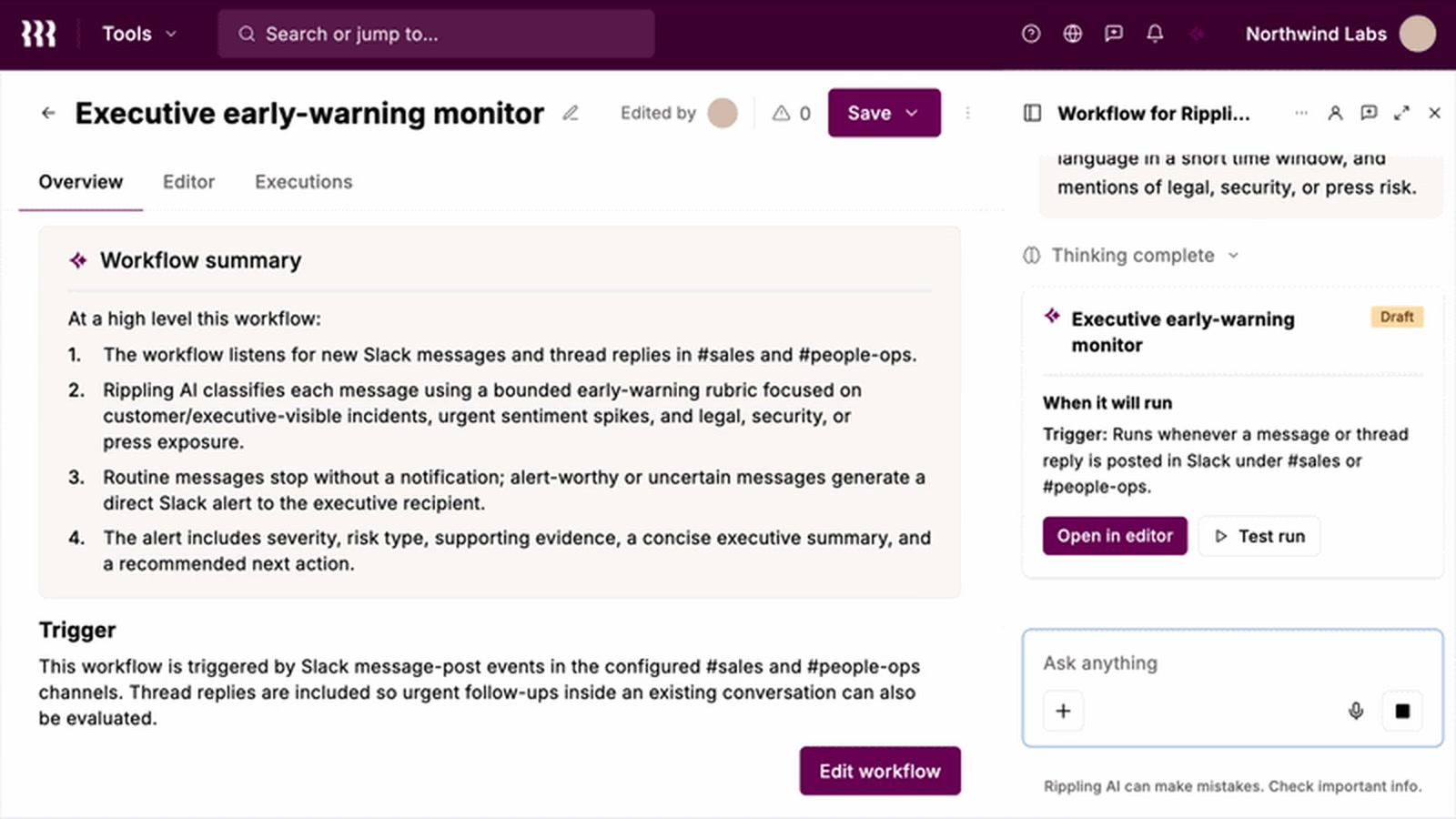
- It listens to #sales and #people-ops.
- Rippling AI sorts each message with an early-warning rubric.
- Routine messages stop there. The rest raise an alert.
- The alert goes straight to the executive.
- It arrives as a draft.
- A person runs the test first.
- It arrives as a draft.
- A person runs the test first.
The builder it opens in is Rippling’s workflow product, which was not my work. Mine was the conversation that drafts it.
Outcome
Rippling AI launched on March 18, 2026, answering exact questions from live company data and taking real action across HR, IT, and Finance. Rippling MCP followed on August 25. Plugins, skills, and automations were introduced on September 23, with automations on a waitlist. The promise Rippling makes in public is the one this work had to make true: any action the AI proposes needs a person’s explicit confirmation before it runs.
Rippling has not published usage numbers, so I have none to give. What it has published is a customer describing the behaviour in their own words.
“Every number was traced back to the actual source data.”
- Role
- Principal Designer
- Scope
- The Rippling AI chat on the web, its read-back and draft pattern, and plugins, skills, automations, and MCP
- Released
- Rippling AI, March 2026; Rippling MCP, August 2026; plugins, skills, and automations, September 2026
- Confidential
- The decisions behind the shipped work stay private. This page shows only what Rippling has published.
- Images
- From Rippling’s public launch post, AI page, launch demo, and September post